

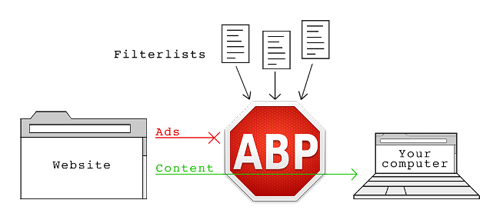
Today, millions of people and visitors in the world visit millions of different websites per day but it becomes frustrating for them to see warning messages about the Adblock or ad blocker plugin in common browsers. These websites will use different warning messages like disable your ad blocker, remove Adblock for visiting website or simply uninstall advertisement blocker plug-in from your website to watch videos or relevant content.
Disable Anti AdBlock Scripts
Such problems are not rare rather they are getting random in nature because all bloggers and webmasters want to earn some cash from these ads which are blocked by the browser plug-in. of course, the websites have got the right to post and show different kinds of advertisements to visitors but users do not feel comfortable with such ads which breaks the interest and rhythm of visiting any website. You will find different types of ads or pop-ups while opening websites such as flash, banners or company ads.
Cause of Displaying Such Ads Messages
Well, webmasters and blog owners are very smart to detect the Adblock plug-in in browsers such as Chrome and Firefox you have just installed. These websites use hidden scripts which will simply ask you to uninstall or remove such plug-ins from your browsers so that you can visit the website.
Disabling Anti Adblock Scripts
In order to disable the anti-Adblock scripts used by most of the website owners, you may install Disable Anti-Adblock in your browser which has been developed for Firefox. This plug-in is very much essential and effective for such websites because it will detect anti-Adblock scripts and unblock them so that you can see the webpage content in the first attempt. You will not have to disable or remove any kind of ad blocker add-ons or plug-in in the browser.
Download Disable Anti-Adblock