


Xposed Module is one of the most preferred framework to install special apps on your Android-powered smartphone. After the Oreo release last year, it’s time for Xposed Module for Android P, the next Android version.
Android P Xposed Module
The Xposed Framework for Android P is here.
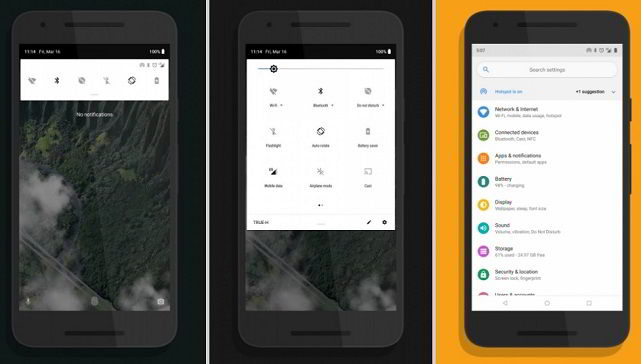
Features
Let’s go through the features that are included in this Android 9.0 Xposed Module:
- New Quick Settings design (Android P Style)
- Toggle for all above features
- Force SystemUI dark theme when using static wallpapers (8.1 only)
- Moved clock to left side
- New rounded search bar and colored icons in settings app
- New app transitions
Download Links
Here are the downloads links for the Xposed zip and the Xposed Installer apk with the respective XDA thread link.
Magisk Flashable zip | Magisk Manager Apk | Xda Thread
Xposed*.zip | Xposed Installer Apk | Xda Thread
Android P-ify Module | Xda Thread
Also Read:
You can easily install Android P Xposed Module on Android smartphone or tablets. But you should ensure that by proceeding on to install the Xposed Framework will void the warranty of your device.
This post was last modified on April 13, 2018 3:32 PM