

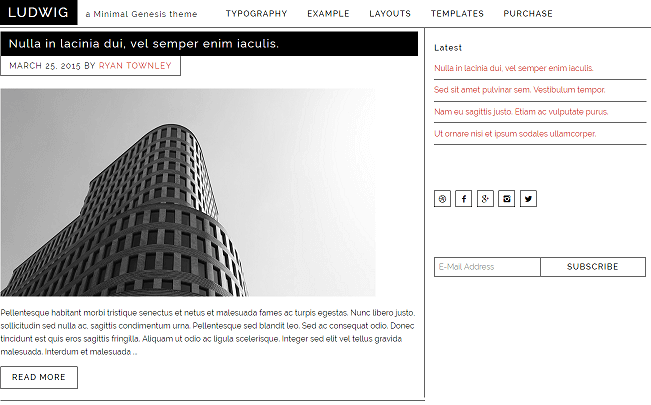
Here comes Ludwig WordPress Theme the Minimal Genesis Child theme for your WordPress blog powered with Genesis framework for fast loading pages.
Genesis has tied up with Ryan Townley to come up with Minimalgenesis.com where you can find Minimalist Genesis WordPress themes. These are not just the normal themes but themes that are bloat-free in order to achieve faster loading web pages. On of the recent themes that we have applied to our TecAdvices blog is the Ludwig WordPress theme.
Download Ludwig WordPress Theme
The Ludwig is a minimalist Genesis Child theme that comes with fixed header and sidebar. It’s a mobile responsive theme with new HTML5 standards. Once you install this Genesis Child theme, your blog will be much faster in terms of loading speed and brings down the number of requests because its code bloat-free.
When you come you widget area, there are no other elements other than Primary sidebar and it’s with fixed width. You will not have to use AMP plugins in order to get mobile ranking with this theme.
The theme is perfect for anyone looking to get fast loading pages on their blog even with shared web hosting as well.
Download | Demo
Ludwig Theme Features
- Minimal Design
- HTML5 Support
- Responsive Design
- Responsive & Accessible Menu
- Fixed Header
- Fixed Sidebar
- Content/Sidebar Layout
- Sidebar/Content Layout
- Full Width Layout
- Genesis Accessible plugin compatible
- Lifetime Unlimited Sites License
Requirements
- WordPress version 4.1+
- Genesis Framework version 2.1+
How to Install
- First download/purchase Genesis Framework and also Ludwig WordPress theme.
- Go to Appearance > Themes and Upload Genesis Framework first.
- Activate the Genesis Framework.
- No upload Ludwig theme.
- Activate it.
Ludwig Theme Customization
Unlike any other theme, there isn’t any special theme options panel. All you do is via the Genesis Theme Settings which is located just above the Appearance in the dashboard.
The theme comes up with a lifetime unlimited sites license. So use it on your own blog and perfectly suitable for those who manage more than one blog.
Price – $29
Download Ludwig WordPress Theme [version 1.1]
Our Rating – 4.5/5
This post was last modified on August 7, 2021 8:44 PM