

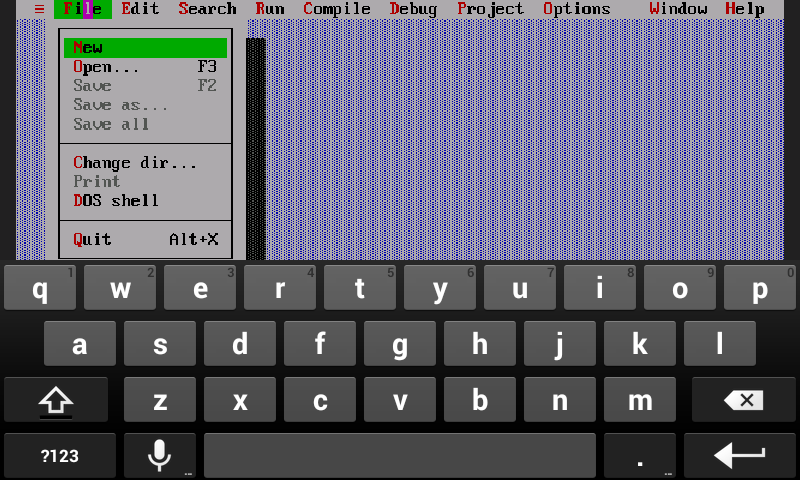
If you want to learn C/C++ language Turbo C is the best platform. Many schools and colleges prefer Turbo C Compiler to teach students. Turbo C is the most popular software in IT sector.
Turbo C Compiler for Android
This software is made for programming. This is used by Computer Science students or for those students who belong to computer application field. If you want to master in C/C++, so you have to practice more and more and run code in Turbo C compiler.
This software is used in desktop as well as Android Phone. When we talk about installation in desktop, you just download this software and install it. But when we talk about installation in Android Phone so there are some steps you have to follow. After this you run your C/C++ code in Android Phone also.
The Steps are as follows –
- First of all download Turbo C software. Download Turbo C for Android.zip. This is zip file.
- This is zip file so first of all you extract it. You can extract it from any compressed tool like Winrar or Easy Unrar. This tool you can download from Play Store. It is free of cost.
- After this, you go to download folder in SD card and search this file.
- Select this file and press right click and select extract all here option. The zip file is converted into extract file.
- Now all the files are extracted. After this you have to install AnDOSbox application.
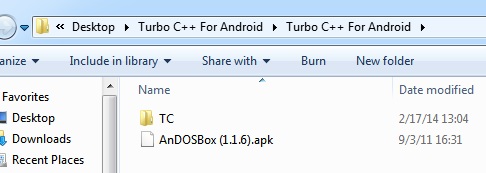
- After this you will get two things first is TC folder and second is AnDOSbox.apk file.
- Now move TC folder in SD card. You don’t move it from any other folder. It should be in SD card.
- Select all extract files and paste it to any place except download folder.
- Open AnDOSbox application. It looks like DOSbox in windows.
- Now press in start Emulator. The black screen will be open.
- Now type some commands:
cdtc
cd bin
tc
- Now you see the blue screen of Turbo C/C++ on Android. You can use it.
This post was last modified on December 1, 2019 10:37 AM