

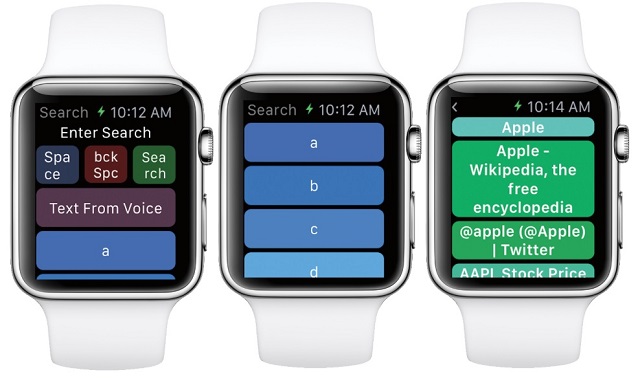
Apple Watch is a great device because it brings most of the iPhone stuff right on your wrist. I am sure that future generations of Apple Watch will include much more capabilities and features but for now, Apple Watch has limited number of features. One of the major missing feature is it doesn’t have a web browser of its own. So just like Apple TV there is noSafari or any other browser.
Web Browser for Apple Watch
We know that surfing on web on a big screen is comfortable but what if you need it on the go and don’t have time to take out your iPhone? Here comes WatchWeb which is a web browser for Apple Watch.
There is no straight installation of WatchWeb on your Apple Watch, you should first install it on your iPhone running iOS 8.1 or later and then manually install it on Apple Watch. To do that follow the process mentioned below –
- Open the Apple Watch companion app on your iPhone.
- Scroll down and tap on WatchWeb and turn the Show App on Apple Watch button to ON position.
- It will get installed on your handheld device.
Just like any other web browser it also has menu bar but with limited number of options. On the top of the interface there are three things you can do –
Space, Back Space and Search
I am sure you know about what they mean.
I am great fan of Sports and to look for live scores, I will be using WatchWeb from now. You will have to pay one time $0.99 for the app.
Download WatchWeb from App Store
This post was last modified on February 18, 2020 3:37 PM