


In the guide at Technos Amigos check on how you can downgrade the Mozilla Firefox keeping bookmarks & browsing history safe in order to resolve flash, crash & hang issues.
Question by Sameer – Recently I have updated to Firefox 16.0 the latest version seeing a prompt on the browser to update as it will fix the vulnerability issues and bring some new features. Without a second thought, I updated to Firefox 16.0 but I am facing an issue like Firefox crashes, freezes while accessing certain websites, gives flash problems and all sort of problems that makes me look out for alternatives. Google Chrome is in growing popularity but still, I love Firefox. Any pieces of advice for you to resolve this issue? – Question via a comment on our Google+ page. Some of the problems reported by users are – LINK 1, LINK 2, LINK 3.
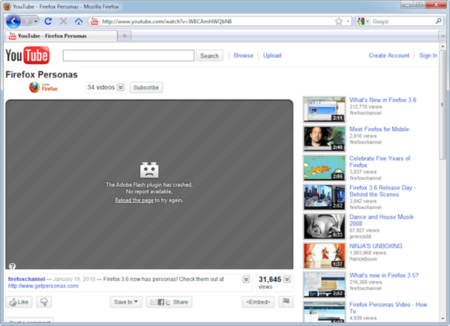
Answer – Sameer, you are not only the one who is facing this issues with Firefox 16.0 on your PC but 80 % of the Firefox 16.0 users have reported the same issues what you have said above. I too faced the same issues with Firefox 16.0 and with little searches on the web I was able to resolve the issues. Although Firefox has been updated to 19.0 Beta 1 as of January 15, 2013 but still the flash problem continues with some users.
I would recommend you do to downgrade your Firefox to the older versions. With my one line answer, you can raise few questions like – how about Firefox History or Bookmarks? From where can I download the Firefox older version? Is it safe? All those are answered below.
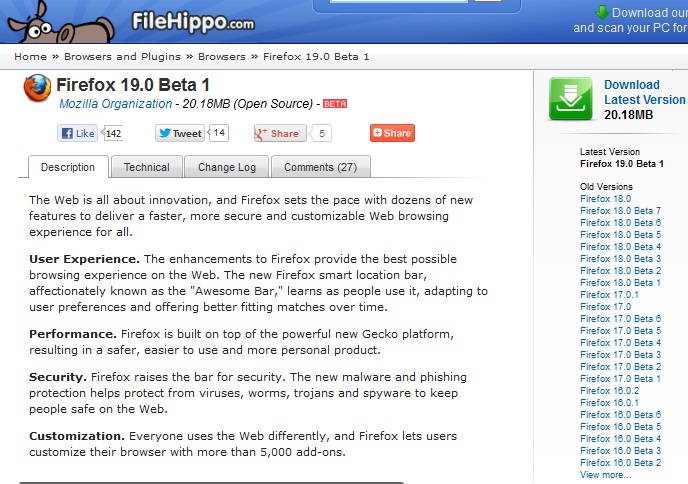
- First, download the older version of Mozilla Firefox browser by visiting FileHippo site which keeps track of all the version of any software by its version. Download the older version which you think is perfect. I would recommend you to download Firefox 15.0.
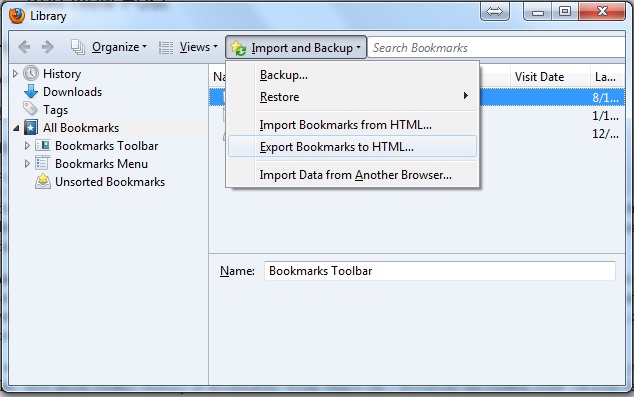
- Its safe to take a backup of your existing Firefox Bookmarks. You can do it by navigation to Bookmarks from the navigation bar then hit Import & Backup > Export Bookmarks to HTML and the Save the file to a location on your PC.
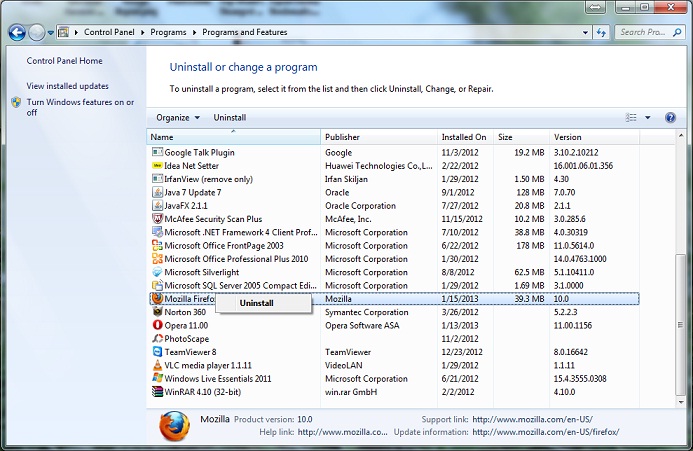
- Now its time for real action. Don’t be worried, everything will be fine hereon. Go to Control Panel on your Windows and uninstall Firefox.
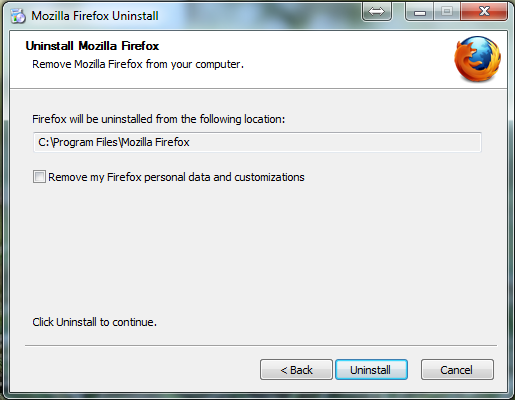
- During the process of uninstalling make sure that you haven’t checked Firefox logins and history. This is to restore your bookmarks, browser history, and login for the downgraded version of Firefox.
- Now when the uninstall is completed, you should install the Firefox 15.0 which you have downloaded via Filehippo site.
- Once the installation is done, you will automatically see that your Firefox browser is one and the same with all your Bookmarks safe, history is also safe. In case if Bookmarks are not displayed then Import the bookmarks.
Also Read:
Do let us know if you are facing any issues during the downgrade transition.