
• Skip to primary navigation
  • Skip to main content
  • Skip to primary sidebar
  • PR & Contacts
  • Privacy Policy
  • About
  • Products

Technos Amigos

Mobile Phone News, Reviews & Tech How to Guide

  • Android
  • Apple
  • Latest Tech News
  • Phones
  • Software
  • AI
Home » Android » Root/UnRoot » How to Root NVIDIA Shield Portable and Install TWRP Recovery

How to Root NVIDIA Shield Portable and Install TWRP Recovery

June 2, 2016 by Yogesh Khetani

The NVIDIA Shield Portable can be easily rooted and you good things always comes big as there is also procedure to install TWRP recovery on the device as well.

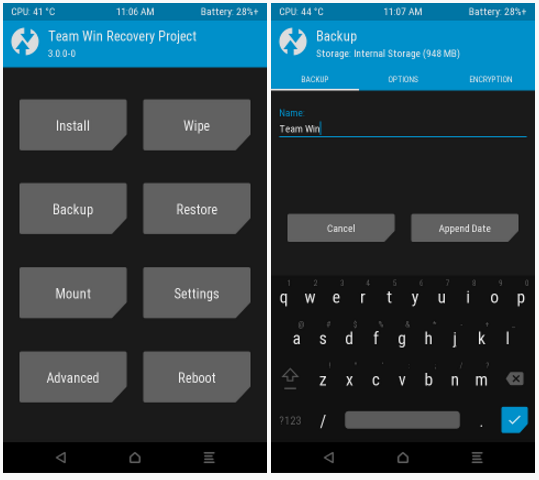
XDA user Steel01 has took over his time to build TWRP recovery and rooting for NVIDIA Shield Portable.TWRP RecoveryThe recovery build for NVIDIA Shield Portable is fully functional but only rotation support doesn’t work. For the full list visit the XDA Thread for official discussions.

Root NVIDIA Shield Portable

Here is how you can get NVIDIA Shield Portable root access –

  • Download the latest version of TWRP Recovery from the official website.
  • Download the NVIDIA Shield Portable Recovery image.
  • Reboot your device in TWRP Recovery mode. First turn off the device, then Press Volume UP and Power button together.
  • From the TWRP Recovery menu, hit Install and then click on Image button in the lower right.
  • Select recovery from the partition list and swipe to flash.

Filed Under: Root/UnRoot

Primary Sidebar

Something Interesting For You

What is the Eligibility for Cyber Security?

Fuel Handling and Transfer Solutions for Marine Vessels

How Tech Can Tidy Up Your Business (and Save You Money in the Process)

How AI in Logistics Can Slash Shipping Costs and Boost Efficiency?


Copyright © Technos Amigos | Part of Yogesh Khetani blogging network