
Making subscriptions for the periodicals and magazines close to your heart becomes much easier with newsstand available in iPad and iPhone which will not require any paper or hard copies as in the case of physical subscriptions. You can find your new issues of magazines in the newsstand however; you will have to pay for such subscriptions delivered to you in digital formats.
It would be much easier and convenient for the iPhone and iPad users to manage and cancel such newsstand subscriptions. When this process of managing and canceling newsstand subscriptions is compared with that of traditional subscriptions, it appears not to be either complicated or hard because everything is digital here!
Manage Newsstand Subscriptions
- First of all, Settings app should be launched.
- iTunes and App Store should be then tapped.
- You will find the option of your Apple ID at the top which should be tapped.
- The user can also see Apple ID in pop-up menu while tapping on View Apple ID.
- Get under the Subscription section and tap on Manage.
- In this section, you will find the complete list of magazines, apps and other newsstand items. For a particular item, you can simply tap on the item to either view, change or cancel subscriptions.
- This is the screen where it would be much easier and convenient for you to change or unsubscribe subscriptions if you explore multiple options. You can also view details of any specific newsstand item.
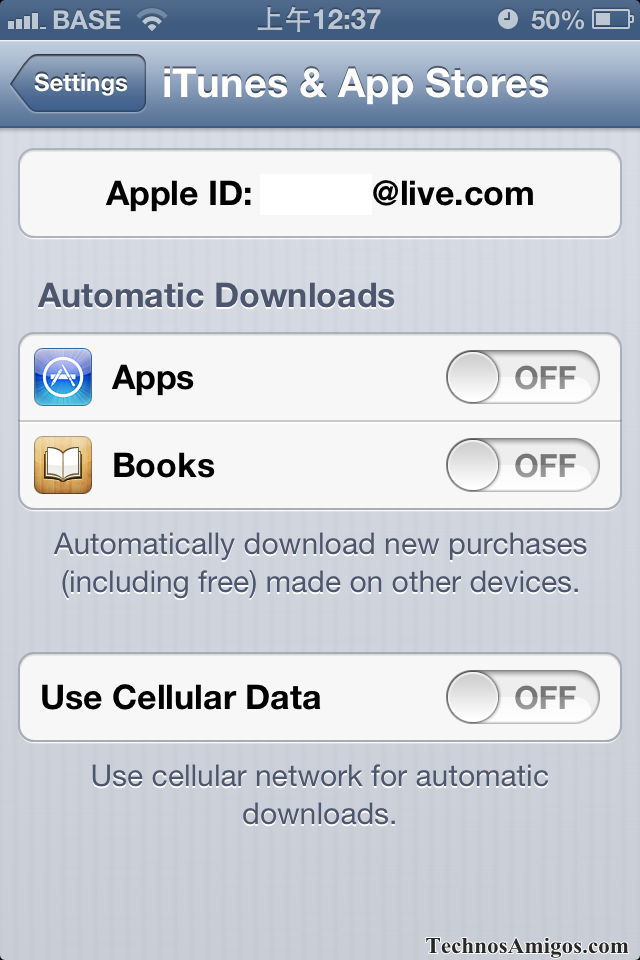
It should be noted here that Apple has not provided a separate and dedicated section for managing and canceling newsstand subscriptions for the users. You will find all your subscriptions in this section. The above steps should be followed by the user for managing, viewing and canceling the newsstand subscriptions which have been provided at the same section.
As you can see here, these steps are extremely easier and will not require any complicated process to manage or cancel newsstand subscriptions. So, just enjoy your favorite periodicals and magazines and cancel subscription if you want any other item!
This post was last modified on July 20, 2022 10:52 PM