
In this guide at TechnosAmigos.com check out How to Change WhatsApp Number on iPhone without Uninstall.
Do you want to change your WhatsApp number without any hesitation? Now, you don’t have to think about a mess. You can easily do it in your Smartphone or iPhone without losing any WhatsApp messages, Videos and Pictures. How to do that? It may happen that you are likely to change your number for various reasons, but you do not want to lose any contact number along with some conversation and pictures.
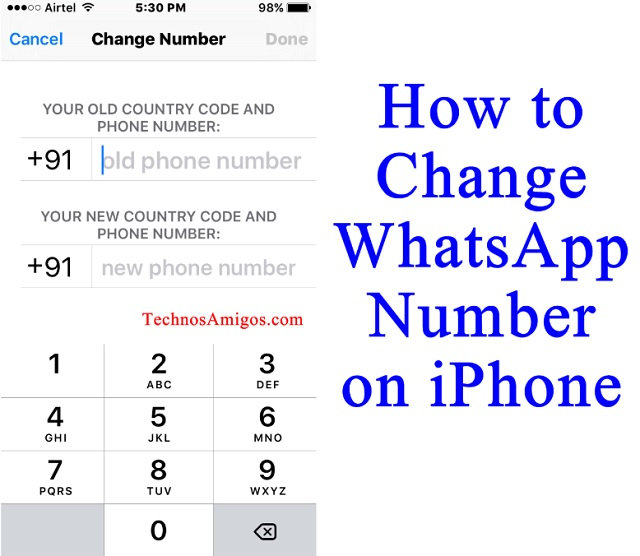
How to Change WhatsApp Number on iPhone without Uninstall
For this your need to clear some steps as follows –
- Open the WhatsApp on your iPhone.
- For a safe change of WhatsApp number, you can easily change your privacy setting. In this, you need to change your account. So, you just have to select hide last seen and now no one can track or follows the last seen of the user.
- Now, it is very important that WhatsApp is running on your device with some particular number. But, if you want to change now, then go to Setting and then Account.
- Now, go through the Change number, but be sure that the above steps are done by you properly.
- In the text tab, click on Next after understanding what .
- After Clicking Change number, you need to verify your numbers and for that you will have next tab. Press and get the blank space for two different numbers as for your Old number and another is you New number.


In this way, you can easily get a perfect step to cover the problem of changing your Old WhatsApp number to the New number. It is completely beneficial for each person as no one will know anything about that and more than that it is safe. So, don’t be hesitating if you want the same for your convenience.
This post was last modified on June 22, 2022 5:27 PM